Saturday, February 27, 2010
Bloomberg Law: Can it be a Contender?
[The following column originally appeared in print in January 2010. I am republishing it as part of my continuing effort to maintain an archive of my published columns. Important note: I have not updated this since its original publication. While most of the sites remain as described, some may have changed. All information was current as of the date of original publication.]Is there room in the legal market for a third high-end legal research service? That is the question as Bloomberg, a company known for its financial news, attempts to muscle in on the turf now occupied by Westlaw and LexisNexis. In December, it officially launched its comprehensive, Web-based service, Bloomberg Law.
For Bloomberg, it is a radical move. It is the first time the company has untethered a major information product from its trademark terminals. The terminals are ubiquitous in financial firms but have never achieved significant presence in law firms. This Web-based product represents Bloomberg's concession to the legal market's lack of interest in its terminal-based services.
For the legal market, the move is brazen. Bloomberg seeks to stake out a claim on terrain where West and Lexis have had years to shore up fortifications. In taking on these services mano-a-mano, Bloomberg differentiates itself as the only one that integrates legal content with proprietary news and business intelligence.
Bloomberg's biggest challenge may lie in convincing the legal market that it needs another high-end research service. The trend in research is towards lower cost services and more open access to legal materials. Bloomberg would seem to be swimming against the tide.
One way Bloomberg will compete is by offering a uniform, fixed price as a counterpoint to the cryptic and confusing pricing plans of West and Lexis. A Bloomberg subscription is $450 per user per month. That is not cheap, but it covers all usage and is less than firms would generally pay to West or Lexis. It also offers a floating license for $1,250 a month that covers five users, but allows only one to log in at a time.
Swagger and Substance
Price aside, the bigger question is how Bloomberg measures up as a legal research service. This much is clear: Bloomberg is getting into the game with swagger. Not only is it loading up on primary legal content, but it is also creating reams of editorial enhancements. It has developed its own citator to rival Shepard's and KeyCite, its own headnotes, and its own numbering system to rival West's key numbers.
To accomplish all this and bring itself up to competitive speed, Bloomberg hired an army of lawyers – some 500 now on the payroll, I was told – and has them nose to the grindstone writing headnotes, tagging cases and readying a law digest.
One of those lawyers recently gave me a tour of Bloomberg Law and then gave me a trial account so that I could explore it on my own. (I cannot tell you his title because Bloomberg's egalitarian structure does not allow job titles.)
A Work in Progress
My overall impression of Bloomberg Law was of a luxury yacht only partially constructed. It looks impressive and many parts of it are fitted out with top-of-the-line features. But as you wander around its decks, many doorways open to unfinished, empty rooms. It is seaworthy, one assumes, but still has a lengthy punch list.
This is ambition exceeding execution, perhaps. Take the Bloomberg Law Digest, for example. It is touted as a detailed index of legal topics collecting key cases, statutes, regulations and other materials. So far, however, many of the topic headings lead only to blank pages, still awaiting content from that army of lawyers.
Cases are another example. Bloomberg's library of cases is complete, in that it has full collections of all federal and state appellate decisions and trial-court libraries on a par with those offered by West and Lexis. The cases include pagination.
However, Bloomberg Law's reference guide and marketing materials say that cases include staff-written headnotes and points of law. Some do, but in my trials, the majority of the cases still do not have headnotes. Click the button that is supposed to display the headnotes and instead you get a message, "No headnotes available."
One strong and fully executed feature is the Bloomberg Law Citator, Bloomberg's answer to Shepard's from LexisNexis and KeyCite from West. As you view a case, an icon alerts you to its status and a panel to the right shows a graphical summary of subsequent citations. A click of a button opens an in-depth analysis showing the case's direct history, citation history and a list of the cases it cited.
A nice feature of Bloomberg is docket searching, covering federal dockets and selected state and international dockets. It is the only legal research service that has complete U.K. dockets, I was told. It also provides tracking and alert services for federal legislation and regulations.
A Marriage of Law and News
A key emphasis of Bloomberg Law is the marriage of legal research and current awareness. The idea is to provide lawyers with primary legal content while also enabling them to monitor their clients' industries and businesses. It does this well, integrating law and news seamlessly in a number of ways.
To this end, the home page replicates a news terminal. The lead legal news story tops the page and legal headlines appear in a box to the right. The page's lower half has tabs allowing you to choose among Morning Legal Briefings, daily reports of top news in various practice areas; Law Reports, more in-depth stories covering court and legal developments; and top news from around the world or filtered by topic or region.
The front page also has a watchlist where you can track company stocks and click through to in-depth information and news about the company. Every public company has a page. Among other things, the pages list all recent filings in which a company is named, including from court dockets and SEC filings.
A Design that Shines
One aspect in which Bloomberg Law shines is its design. It is fast, intuitive and thoughtfully arranged. I especially like that – as do most modern browsers – it uses tabs, opening new documents in separate tabs so that you never lose your research trail or have to backtrack through it.
Searching on Bloomberg Law is quick and uses either Boolean or plain-language queries. A search can be run broadly across a range of content types (e.g., court opinions, dockets and statutes) or more narrowly by jurisdiction, practice area or industry. Filters allow easy refinement of search results by topic and industry.
The Research Trail feature automatically saves all research and documents and stores them indefinitely for later retrieval. Another feature, Workspace, allows you to save research and documents in folders and share them with colleagues. Sharing can be done only within your own firm.
Tabs across the top of the screen provide ready access to a user's Workspace and Research Trail, as well as to saved searches and alerts. Users can set alerts for virtually any type of content on Bloomberg Law.
The left-hand navigation pane collapses with a click to provide more viewing space on the screen. The pane provides links to all of the main sections of Bloomberg Law and also to a collection of practice-area pages. These pages highlight recent court opinions and articles related to the practice area, link to key resources for the area (including blogs), and provide shortcuts to search core libraries related to the practice.
Bloomberg offers a telephone and e-mail help desk staffed 24/7 by lawyers, law librarians and paralegals. I e-mailed the help desk at nearly midnight about a log-in problem and received an answer within minutes, much to my surprise.
Will it Float?
For now, Bloomberg Law is a work in progress. It remains to be seen whether, once construction is completed, there will be sufficient demand for it in the legal market.
The product is targeted at larger firms, but also at smaller firms with a need for robust docket searching and financial intelligence. Few large firms are likely to dump West or Lexis and switch solely to Bloomberg Law. That means they are likely to buy this only if they see it as a necessary add-on to their research arsenal or a partial substitute for higher-priced services.
Law firms heavily involved in securities and finance are most likely to buy Bloomberg Law, given its melding of law and financial news. For the broader legal market, Bloomberg Law has a tough sell ahead and a lot of work to complete in the meantime.
Copyright 2010 Robert J. Ambrogi
posted by Robert Ambrogi @ 8:52 PM,
, links to this post
Tuesday, February 16, 2010
Bloomberg Law: My Extended Review
Law.com now has my extended review of Bloomberg Law, the new legal research service that aims to muscle in on the turf now occupied by Westlaw and LexisNexis. (Also see my post earlier this week about the Bloomberg Law biometric doohickey.)
Labels: caselaw
posted by Robert Ambrogi @ 10:50 PM,
, links to this post
Monday, February 01, 2010
LexisNexis Unveils Office Integration Today
Lawyers spend much of their time at their computers, and much of that time using Microsoft Word or Microsoft Outlook. In recognition of that, LexisNexis today is announcing a major new product that integrates search and other tools directly within Word and Outlook. Called Lexis® for Microsoft Office, the product is an add-on to Office that lets lawyers access these tools as they work within Office applications.Simply put, the product splits the screen within an Office application and brings results and information right into the application, whether it is Word or Outlook. Notable about the product is that it enables powerful and intuitive search within Office not just of the LexisNexis database, but also of the open Web and of a firm's own document management system, all simultaneously and all with just a couple of keystrokes.
The product adds three primary search components to Word and Outlook. Results are displayed alongside the document or e-mail, so you see both simultaneously. The three components are:
- Search. From a single search box within Word or Outlook, run a search that spans LexisNexis, the Web and your firm's internal database or DMS. Results from all sources are displayed in a pane next to the active document.
- Background. Click this button to search for background information on “entities” within a document or e-mail. An entity could be a person, company, organization or case. The button automatically indexes the working document with hyperlinks to relevant information from LexisNexis, the Web and internal resources. Click the hyperlink to view the information in the side pane. The Background feature will also display full Shepard’s reports and apply Shepard’s SignalTM indicators directly to the cases cited within the text of the document. Full text versions of case law, news and information cited within an e-mail message or Word document can also be accessed through the lexis.com® resources directly within the Microsoft software application.
- Suggest. Similar to the Background function, this functionality interacts with any text in a Word document or Outlook message. By manually highlighting any portion or block of text, the user can prompt a search that will pull up relevant information from internal, LexisNexis and Web resources. The content is displayed in a side pane within the application.
Although LexisNexis is announcing Lexis for Microsoft Office today at LegalTech in New York, the product will not immediately be available. It will launch for Microsoft Office 2007 in spring 2010, the company says, and will be available with Microsoft Office 2010. It will not work on older versions of Microsoft Offfice. To access and use the product's capabilities, users will require a current LexisNexis subscription.
Lexis developed the product in conjunction with engineers from Microsoft Corp. It has been beta testing the product with law firms for several months and refining it based on their input. Lexis says the testers have been enthusiastically pleased with their ability to access key information about a document from directly within Office.
Even as Lexis readies this product for release, the company is engaged in a parallel effort to broadly overhaul its core research product, with changes in the works for its technology, design and functionality. The initial release of that will be later this year. A spokesman I talked to described the product being announced today as "the first step in our journey of reinvention."
Labels: caselaw
posted by Robert Ambrogi @ 8:33 AM,
, links to this post
Friday, January 29, 2010
WestlawNext: More Screen Caps
As a follow-up to my post earlier this week with a first look at WestlawNext, here are a half-dozen screen caps provided by West:Labels: caselaw
posted by Robert Ambrogi @ 6:05 PM,
, links to this post
Fastcase iPhone App Now Publicly Available
Earlier this week, I posted an exclusive first look at a pre-release version of the new iPhone app from Fastcase. It provides no-cost access to a full library of cases and statutes.The app has now been approved by Apple and is available for download from the App Store.
Labels: caselaw
posted by Robert Ambrogi @ 10:55 AM,
, links to this post
Tuesday, January 26, 2010
A First Look at WestlawNext
Rumors have been circulating for some time now about Project Cobalt, Westlaw's internal code name for its most significant overhaul since it moved to the Web. Now we know that Project Cobalt's official name is WestlawNext and that West will formally introduce it to the public on Feb. 1 at LegalTech New York. Recently, West gave me a preview of WestlawNext and supplied me with a password to try it out. This is no mere cosmetic redesign. WestlawNext completely changes the search interface and the search engine behind it. In fact, the change is so dramatic that West has given its new search engine its own name: WestSearch. This new search engine does not just look at the terms you enter, a West executive said. Rather, it tries to identify the issue of law based on the terms you searched.
The most striking change from the former Westlaw to WestlawNext is the disappearance of the database directories. No longer need you select a specific database to search. Instead, the front page of WestlawNext is Zen-like in its sparsity – or, I should say, Google-like. Atop the page is a search bar which invites you to "enter search terms, citations, databases, anything."
Your search – Boolean or natural language – will run across everything in the Westlaw database and return a page showing an overview of the most relevant results from each group – cases, statutes, secondary sources, briefs, whatever. If that sounds daunting, it isn't. On the left of the screen is a menu for refining the search by group. Click to see only caselaw that matches your search or only statutes or whichever. After you select one of these filters – say, cases – a new submenu appears allowing you to further filter the results by any number of parameters, including court, judge, party, topic and Key Number.
This is much simpler and more intuitive than having to choose a database to search, if for no other reason that you don't always know which database is best suited to your search.
At the same time, WestlawNext makes it simple to limit your search by jurisdiction or to a particular library. Within the search box, a drop-down menu lets you choose as few or as many jurisdictions to search as you want. You can also browse any of the various libraries by jurisdiction and topic.
The same search bar works to KeyCite a case. Just type "keycite" and the cite to bring up the subsequent history of a case. Whenver you view a case, the KeyCite information is displayed across the top of the page, in tabs for Negative Treatment, Citing References, History and Filings.
Currently in Westlaw, the default ranking for search results is by date. In WestlawNext, the default ranking is by relevance. At any time, you can reset the default to whatever ranking you prefer.
The new Westlaw makes a number of changes in how documents are displayed, including all new settings for fonts, margins and other styles. The user is able to customize these settings to their liking. A notable change is that headnotes no longer display automatically. Instead, the user can opt to display the full set of headnotes for any case by clicking on a button. This makes it easier to get right to the meat of a case.
Another change is that a case's most negative citing reference is shown right on the same page with the case. The previous version of Westlaw would show a yellow flag but provide no explanation.
As you view search results, a panel on the right of the screen shows relevant entries from treatises and other secondary materials. For example, a simple search, "Massachusetts open meeting law," revealed secondary sources such as relevant entries from the Massachusetts Practice series, briefs filed in open meeting appeals and pleadings from open meeting lawsuits.
There are many smaller enhancements that fall into the category of nice touches. For example, select a block of text and a pop-up menu appears allowing you to highlight it, add a note, copy it with its reference, or add it to your research. All of your research can be saved and organized in folders. WestlawNext will also keep a history back a year of every search you do and allow you to search within your history.
The bottom line is that WestlawNext brings the experience of searching the Westlaw database in line with what users today expect from a Web-based tool, making it simple and intuitive.
Labels: caselaw
posted by Robert Ambrogi @ 3:36 PM,
, links to this post
Monday, January 25, 2010
Exclusive First Look: Fastcase iPhone App
The legal research service Fastcase is preparing to launch an application that will let users research cases and statutes on their iPhones, all for free. The app is awaiting final approval from Apple before it will be available in the App Store. Fastcase granted me an exclusive first look at a pre-release version of the app. Here is what I found.The app provides access to the largest free law library available on the iPhone. When you arrive at the main menu, you can select to perform one of three tasks: search caselaw, search statutes or browse statutes. Select caselaw and you come to a search screen. By default, the app searches all jurisdictions and date ranges. You can choose to narrow any of these. For example, you can select all or any combination of federal circuit courts, all or any federal district courts, all or any bankruptcy courts, and all or any state courts. (Like Fastcase on the Web, it includes all 50 states and the federal courts.) Likewise, you can search all dates or set the start and end dates to limit the range.
Also on the search page, you can select how many results to show and how you wish the results to be displayed. By default, results are displayed by relevance, but you can opt to show them by date or name. You can also select whether or not to display results using Authority Check, the Fastcase tool that shows subsequent citations of a case.
As with Fastcase on the Web, you can search using natural language or Boolean queries or search by citation. Search results show the case name, decision date, a relevance score, and either the first or most relevant paragraph from the case. If you selected Authority Check, an orange-colored icon tells you how many times each case in the results list has been cited overall and how many times it has been cited by other cases in the search results. Press the orange button to bring up a list of those citing cases.
Cases are displayed in a crisp, readable, Times Roman font. The font can be adjusted to display in three different sizes. Cases include pagination and search terms are highlighted. Internal citations are hyperlinked. As you look at a case, a button on the bottom of the screen lets you jump to its most relevant paragraph. At any time, you can return to the results list with the press of a button or jump to the next case on the list. A red "save" button lets you save any case for easy retrieval later on. Using buttons along the bottom of the screen, you can return to your recent searches or view a list of your saved documents.
Searching statutes is similar. The app lets you choose whether to search by keyword or by citation. You can select the U.S. Code and most state codes. You can search only one jurisdiction at a time. A half-dozen state codes are not included on the app because the states claim copyright in them. For these states, the app offers to open the state code's Web site in Safari. Alternatively, statutes can be browsed. As with cases, you can save documents for easy retrieval later on.
Settings allow the app to be customized in various ways. Users can set how many results to display on a page and what information to display in the results list. Users can also set the size of the local storage file, to prevent the app from clogging the iPhone's storage space. Stored cache can be cleared with the click of a button.
As I noted at the outset, the app will be free to download and searching the Fastcase library using the app will also be free. First-time users will be required to register, but there will be no cost. Current Fastcase subscribers will be able to use their existing log-on and password.
I have included a number of screen shots along with this post so you can see for yourself what the app looks like. I was impressed by its ease of use. I was even more impressed by its speed. Results appeared quickly in all my searches and full opinions appeared just as quickly. The app does not have all the features of Fastcase on the Web. For one, there is no print or e-mail option. However, using the iPhone's ability to copy and paste, I easily copied an entire case and pasted into an e-mail that I sent to myself. That said, this is a surprisingly robust legal research tool that will allow its users to find cases and statutes wherever they are, whenever they want, all for free.
Fastcase could not say when the app will appear in the App Store. When it does, I'll be sure to let you know.
Labels: caselaw
posted by Robert Ambrogi @ 5:28 PM,
, links to this post
Friday, January 22, 2010
Review: Google Scholar's Case Law Research
In the wake of news that Google now offers case law research through Google Scholar, I've written an in-depth review, published on Law Technology News.Labels: caselaw
posted by Robert Ambrogi @ 12:48 PM,
, links to this post
Wednesday, November 18, 2009
Google Gets into Legal Research
In a post earlier today at Legal Blog Watch, The Google Gorilla Enters the Research Game, I wrote about Google's announcement yesterday that Google Scholar now allows users to search full-text legal opinions from U.S. federal and state appellate and trial courts. I wrote there about the implications of the announcement, but wanted to post here to add my initial thoughts about the search itself.So far, I like what I see. As it is throughout Google's various offerings, the search interface is seamless and simple. Search for a case in the same way you'd search for anything on Google -- by name, words or a phrase. You can also search by citation, but be careful to put the citation in quotes. If you search 794 F.2d 915, the results will include cases that have "794," "F.2d" and "915." But if you search "794 F.2d 915" you get the cited case plus any others that cite it.
As you view a case, a tab on the top of your screen lets you switch to a second screen showing how it was cited. This shows a list of cases and articles that cite your case. It also includes a separate list of cites showing a quote extracted from the case at the point of the citation -- in other words, the proposition for which your case is cited. Click on any of those quotes and jump right to that point in the citing case.
I could not find within Google Scholar a description of the scope of the case law database. According to Tim Stanley of Justia, it includes U.S. Supreme Court opinions since 1 US 1 (pre - 1776), federal circuit opinions since 1 F 2d 1 (1924+), and many federal district court opinions. Opinions from all 50 state supreme courts are included since 1950. I was able to determine that intermediate appellate courts are included for some states, but I could not tell whether they are included to the same extent as state supreme courts.
The Advanced Scholar Search lets you choose to search just federal cases or just a single state's cases. You can search multiple states only by checking boxes for each state, so if you want to search all 50 states but not federal, you'll have a lot of checking to do.
There remain lots of questions about Google Scholar's case law search. Google offers no documentation so answers are hard to come by. Besides not knowing the precise parameters of the database, we also do not know how often new cases are added -- a key piece of missing information. We also do not know what kind of quality control Google has in place to ensure the cases are checked and error free.
Still, putting the power of Google search behind a comprehensive database of federal and state cases is more than just a good start. Google's engineers clearly put a lot of thought and effort into this and I expect there will be further refinements and enhancements to come.
Labels: caselaw
posted by Robert Ambrogi @ 9:23 PM,
, links to this post
Wednesday, October 21, 2009
Casemaker vs. Fastcase: Another View
After publishing my head-to-head review comparing Casemaker and Fastcase, I noted in a follow-up post earlier this month the Oregon State Bar Association's decision to switch from Casemaker to Fastcase and Casemaker's response to that decision.Now, Laura Orr at Oregon Legal Research offers another perspective on the Casemaker vs. Fastcase debate that she describes as "closed vs. open source." Casemaker only allows lawyers to subscribe, whereas Fastcase is open to anyone to subscribe. That means that law librarians, paralegals and other legal support professionals cannot use Casemaker.
Casemaker's closed-subscription policy, Orr writes, "is a real liability in the legal world, where non-attorneys in large and small law firms are the very people who not only do a lot of database searching but are also the very people who can offer hands-on, real-time database training to attorneys, on the spot."
Labels: caselaw
posted by Robert Ambrogi @ 9:43 PM,
, links to this post
Thursday, October 01, 2009
Casemaker Fights Back Over Loss in Oregon
Over the summer, I wrote a review (also here) comparing Casemaker and Fastcase. Each of these legal research services markets itself as a member benefit to state and local bar associations. In my review, I said that "both are worthwhile services with many similarities." But I gave Fastcase the edge for intuitiveness and ease of use.In my review, I described the two as "in a head-to-head competition to win the loyalty of America's lawyers." That competition reached a critical juncture last month when the Oregon State Bar Association announced it was switching from Casemaker to Fastcase. That switch took effect today.
Today, Casemaker shot back, doing something it has never done before. It is offering Oregon lawyers free access to its research service. This is the first time Casemaker has offered its research service outside the context of a bar association member benefit and the first time it has offered its service directly to lawyers for free.
Casemaker today sent an e-mail to Oregon lawyers titled, "Welcome Back Oregon Users!" It said:
Recently, the Oregon State Bar made the decision to replace Casemaker with a less expensive and we believe less substantial product. However, we would like you to decide for yourself.The e-mail included a link lawyers could follow to sign up for free access. It also pointed them to a detailed response to my review (which I posted here in July).
Some have been persuaded by the surface and seductive interface of Fastcase, but we know you need data that is sound, complete, and timely. That is why we have more quality editors checking the data’s completeness; our editors alone outnumber the entire Fastcase staff. Our additional investment assures a product on which you know you can trust based on a proven six-year history together.
As you compare over time you will begin to discover Fastcase’s missing data and learn of link-outs to third-party sources (Casemaker brings the data in-house, integrates into a single search and assures its completeness and timeliness… again an investment into product integrity).
You deserve the best, not cost reductions, and that is why we will continue to allow Casemaker 2.1 FREE so you may make the long-term comparison for yourself.
Eventually we will have to convert to a low-cost subscription-based product in order to cover our service outlay, but not today or even tomorrow as we do appreciate you and your loyalty to Casemaker.
A brilliant counterattack or an act of desperation? It will be interesting to see how this plays out.
Labels: caselaw
posted by Robert Ambrogi @ 3:55 PM,
, links to this post
Monday, September 07, 2009
Casemaker Previews New Digest Service
The legal research service Casemaker has launched a new case-digest service providing summaries of the most recent cases decided by the courts. Called CASEMAKERdigest, this initial roll-out of the service covers only state and federal courts in Texas. Eventually, it will cover all 50 states.The service provides summaries of cases soon after the cases become available. Summaries are listed by date and can be sorted by area of practice, court, judge and jurisdiction. They can also be searched by key word. Additionally, a user can subscribe to an RSS feed that shows the 50 most recent cases published on the site.
The service is offered free for a trial period of 30 days. After the trial runs out, the service will be offered for a subscription price of $39.95 a year.
Casemaker General Manager Steven Newsom
Labels: caselaw
posted by Robert Ambrogi @ 9:17 PM,
, links to this post
Monday, July 20, 2009
More on Casemaker vs. Fastcase
Earlier this month, I published here the letter I received from Steve Newsom, general manager of Lawriter, the company that produces Casemaker, responding to my review of Casemaker vs. Fastcase published in Law Technology News. Because I could not replicate their formatting, I did not publish two attachments to his letter that went into greater detail. Casemaker has now published those attachments on its own Web site.Labels: caselaw
posted by Robert Ambrogi @ 9:43 AM,
, links to this post
Sunday, July 12, 2009
Casemaker Responds to my Review
[Update 7/20/09: I did not post the attachments to Mr. Newsom's letter because I could not replicate their formatting. Casemaker has now posted those attachments on its own Web site.]In response to my review of Casemaker vs. Fastcase published this month in Law Technology News, I received an e-mail yesterday from Steve Newsom, general manager of Lawriter, the company that produces Casemaker. Attached to the e-mail were a letter responding to the review and also two attachments providing more details, including a point-by-point response. Newsom will be distributing the letter tomorrow to bar associations.
The great limiter in writing for print is space. I had wanted to say much more about both Casemaker and Fastcase but simply did not have the room. As it was, LTN editor Monica Bay allowed me more space than usual for the review.
Space is not a problem here, so I am printing below the text of Newsom's letter, which summarizes his response to my review.
Recently an article was published that compares Casemaker and Fastcase in a “head-to-head” comparison by Bob Ambrogi. I thought, overall, it was a pretty good article. It favored one of our top competitors, Fastcase. I have expanded on the article below, but I believe that Bob makes many good points about our products. He misses some points, which are less apparent, but are critical for success. I wanted to note a few below, to help our readers evaluate Bob’s comparison.
As with Bob, my head is sometimes turned by great graphical interfaces and designs that have been created by Fastcase. I admire their marketing savvy, some of their Flash design, postings on Twitter, Facebook; etc. While we have made a massive improvement over the past 12 months to the look and feel of Casemaker, we still have further to go. Fastcase has great style and a simple interface. I can imagine how first time experiences for their service would score high, but our repeat users continue to reject their approach in favor of greater flexibility and functionality.
And while we have beat Fastcase to market over the past 12 months with new features, like 24 hour customer service, our social networking site for students, free daily webinars for our members, linking our citations to secondary reference materials, etc. - they continue to impress me with their response time to try to replicate similar offerings.
Two major points were missed in this article however – the ideas of quality and market response. As a very simple example of market response, I liked Bob’s point about ranking search results on relevancy (which is currently an option for all Casemaker users and the default for Fastcase.) We, Casemaker, started with this same default – ranking results on relevancy. But we switched after our users asked us to use dates, and give relevancy as an option. Specifically, our attorney clients stated that they would prefer to have a 2008 case that was slightly less relevant than a 1964 case that software deemed slightly more relevant. This is also why we keep both options as a setting that can be changed by our users.
The same is true for allowing our attorneys to search for just judges, just attorneys, just citations or other specific search fields instead of one search-box for everything as used by Fastcase. That would certainly be easier (and less expensive) for us to implement. However, we find in survey after survey that our attorney users (who I imagine are not as search savvy as Bob) prefer and request such separate search capabilities. I agree with Bob, they are less intuitive for a new user than Google features, but they are much more useful to a returning user. As a simple example, you can search for “Smith” in the attorney field, and not have to wade through all of the “Smith”s that were defendants, judges, mentions, etc. (Trust me, it is hard enough just getting through the attorneys!)
But I always believe the big difference is quality. I think it is really hard for an outside evaluator to easily measure the quality differences between the two solutions. Bob references some cases he found in Casemaker and did not find in Fastcase, but I don’t think the difference ‘hit home.’ It makes all of the difference in the world when a case is missing, incorrectly linked, or misplaced in a system.
Bob notes that we both use the same provider for some of our data – excellent point. But even though both companies use the same resources for Slips and Advance sheets, Casemaker with a staff of 16 assigned to data quality and integrity, invests heavily in quality review AFTER the data is received. We know where Fastcase errors are, because we have identified and corrected them within our system. In a recent comparison of our data vs. Fastcase, for just one State, we found and corrected hundreds of errors and missing cases. I have included an attachment – Attachment B (“One State’s Comparison”) – with these details.
There is no way that Bob could see this in an initial trial of the products. And unfortunately, there is little way that many decision makers get to view this information before they make a decision about which service to provide to their members. It is only after implementing a solution that many clients find out there is a real difference. But for the Bar’s who have experienced Casemaker service, the difference is obvious. This is why Casemaker has signed 9 mutli-year state bar contracts in the past 14 months.
The extra work that it takes to identify these hundreds of missing cases costs real money. It means having US resources that do significant Quality and Assurance (Q&A) – 16 dedicated staff. At last count, our Q&A team was larger than the whole Fastcase Company. It is also the reason that Casemaker typically charges about 20% more for their services than Fastcase. We could do it for less, and cut out this process, but our clients put an emphasis on quality.
I hope this review is helpful. There are a LOT of other point by point explanations that I thought I should give from Bob’s article. They are attached in Attachment A (“Points of Clarity”). I would really encourage you to look at these differences. As always, we greatly appreciate your time. Fastcase is a good company run by smart guys, and I know they will continue to improve. But as they do, we want to make sure you have the facts to make the best decision for your Bar and your members.
We thank Mr. Ambrogi for creating this platform; it will only make both products better and the market is the truly beneficiary.
Respectfully,
Steve Newsom,
General Manager, Lawriter
Labels: caselaw
posted by Robert Ambrogi @ 2:19 PM,
, links to this post
Tuesday, June 30, 2009
Head-to-Head Review: Casemaker vs. Fastcase
Two legal research services are in a head-to-head competition to win the loyalty of America's lawyers. If you think I'm talking about Westlaw and LexisNexis, think again. This battle is between Casemaker and Fastcase. For my monthly Web Watch column in Law Technology News, I offer a head-to-head review of the two services: Web Watch: Casemaker vs. Fastcase (free LTN registration is required).Labels: caselaw
posted by Robert Ambrogi @ 8:28 AM,
, links to this post
Friday, May 15, 2009
Free Case Law - and a History Lesson
Law.com this week published my article, Get Your Free Case Law on the Web. No sooner did it appear than I received an e-mail from a reader questioning how several of the sites discussed in the article could claim to have U.S. Supreme Court cases from before there was a Supreme Court. In fact, they claimed to have Supreme Court cases dating back to 1754 -- even before the American Revolution.I'll admit, I felt like an idiot for not questioning this myself when I wrote the article. And when I e-mailed several of these sites to put the question to them, I heard back from only one, and the person who responded was not immediately sure of the answer.
Hoping to find the answer for myself, I first turned to one of the sites, Public.Resource.Org, to see this supposed 1754 Supreme Court case. I went to its Supreme Court library and made my way to Volume 1, Page 1 of the U.S. Reports. Sure enough, it is from September 1754. But while it is from a supreme court, it is not the Supreme Court. Rather, it is the Supreme Court of Pennsylvania.
I then turned to Google in search of a history of the U.S. Reports case law series. I found it easily, courtesy of Wikipedia. Here was the answer I was looking for:
None of the decisions appearing in the first volume and most of the second volume of United States Reports are actually decisions of the United States Supreme Court. Instead, they are decisions from various Pennsylvania courts, dating from the colonial period and the first decade after Independence. Alexander Dallas, a Philadelphia, Pennsylvania lawyer and journalist, had been in the business of reporting these cases for newspapers and periodicals. He subsequently began compiling his case reports in a bound volume, which he called “Reports of cases ruled and adjudged in the courts of Pennsylvania, before and since the Revolution”. This would come to be known as the first volume of "Dallas Reports."Maybe I learned that back in the first year of law school. If so, I've long since forgotten. Now I know and this time, I doubt I'll forget. But what we do know is that when these sites claim to have Supreme Court cases back to 1754, what they mean is that they have the full series of U.S. Reports.
When the United States Supreme Court, along with the rest of the new Federal Government, moved in 1791 to the nation’s temporary capital in Philadelphia, Dallas was appointed the Supreme Court’s first unofficial and unpaid Supreme Court Reporter. (Court reporters in that age received no salary, but were expected to profit from the publication and sale of their compiled decisions.) Dallas continued to collect and publish Pennsylvania decisions in a second volume of his Reports, and when the Supreme Court began hearing cases, he added those cases to his reports, starting towards the end of the second volume, “2 Dallas Reports,” with West v. Barnes (1791). Dallas would go on to publish a total of 4 volumes of decisions during his tenure as Reporter.
When the Supreme Court moved to Washington, D.C. in 1800, Dallas remained in Philadelphia, and William Cranch took over as unofficial reporter of decisions. In 1817 Congress made the Reporter of Decisions an official, salaried position, although the publication of the Reports remained a private enterprise for the reporter's personal gain. The reports themselves were the subject of an early copyright case, Wheaton v. Peters, in which former reporter Henry Wheaton sued then-current reporter Richard Peters for reprinting cases from "Wheaton's Reports" in abridged form.
In 1874, the U.S. government began to fund the reports' publication, creating the United States Reports. The earlier private reports were retroactively numbered volumes 1-90 of the U.S. Reports, starting from the first volume of Dallas Reports. As a result, decisions appearing in these early reports have dual citation forms; one for the volume number of the United States Reports, and one for the set of nominate reports. For example, the complete citation to McCulloch v. Maryland is 17 U.S. (4 Wheat.) 316 (1819).
Labels: caselaw, Supreme Court
posted by Robert Ambrogi @ 7:36 AM,
, links to this post
Monday, May 04, 2009
10 Sites that Provide Free Case Law
Free is good. But free is not necessarily equal. In my latest Web Watch column for Law Technology News, I review 10 Web sites that provide free access to case law.Labels: caselaw
posted by Robert Ambrogi @ 7:45 PM,
, links to this post
Wednesday, October 22, 2008
VersusLaw Unveils Free Case Law Search

I have long been a fan of the legal research service VersusLaw, which provides federal and state legal research for just $13.95 a month. Now VersusLaw is taking a giant step backward in price, all the way to zero, with the launch of its free legal research service, FindACase. It provides free access to federal and state cases, the same cases that are in the subscription version of VersusLaw, but lacking some key features.
VersusLaw founder Joe Acton tells me that FindACase is designed for the general public as a tool to help them better understand the legal issues they face. "Just as no one goes to the doctor anymore without hitting WebMD or other such sites, neither should anyone seek legal advice without first having some idea of the issues involved," he wrote me in an e-mail.
FindACase will be supported through advertising and, as noted, lacks some features that limits its usefulness for lawyers. Most significantly, cases do not include their citations or docket numbers (citations within the case are retained). You can, however, find a case by using its citation. You always have the option of obtaining a case's citation for a charge of $2.95 per case.
Another limitation is that you can search only on a state-by-state basis. The site is divided into 51 sections, one for each state and the District of Columbia. Each state section includes the federal and state case law for that state -- state appellate courts, federal circuit court, U.S. District Court and U.S. Supreme Court.
Searching is by key words or citation and includes exact-phrase and boolean searching. Searches can be limited to date ranges and to specific courts within the selected state. Before executing a search, you must enter your zip code and a CAPTCHA code. This is to prevent piracy of the data. "FindACase is not intended as a substitute for VersusLaw," Acton notes in his e-mail to me, "but rather as a general research tool." Still, with a price to use it of zero, this site could prove handy for quickly checking a case.
Labels: caselaw
posted by Robert Ambrogi @ 8:11 PM,
, links to this post
Monday, April 21, 2008
Updates on Free Case Law
I've had several posts in recent months about various efforts to move caselaw into the public domain and, once there, to make it more accessible. I also had a recent article about this in Law Technology News, Online Legal Research Revolution. Now, some updates:- IT Conversations interviews Carl Malamud, the man behind Public.Resource.Org and a long-time crusader to bring public information out of the darkness.
- David Hobbie at his blog Caselines puts public-domain search engine PreCYdent to the test and "was stunned" by the results. "I have never seen such a highly relevant set of search results on any electronic case search engine. Not in Westlaw. Not in Lexis. Not anywhere."
- Meanwhile, PreCYdent has moved from alpha to beta with a release it describes as more stable. Its recent newsletter (sent to everyone who registers) says it is working hard to extend its database to all state jurisdictions. It has also added a Government Printing Office archive of 1.3 million documents and a database of legal forms.
- Public.Resource.Org has been adding a collection of state cases and codes.
- Public.Resource.Org has added most of the cases from the first Federal Reporter series, which supplements the F.2d and F.3d series posted in February.
Labels: caselaw, public domain
posted by Robert Ambrogi @ 8:59 PM,
, links to this post
Tuesday, March 18, 2008
Update on Case Law Libre!
My post yesterday, Case Law Libre!, pointed to the registration-required Law Technology News version of the article. Today, Law.com posted it on the Legal Technology page, where no registration is required.Also, I heard today from Thomas Smith, the University of San Diego School of Law professor who serves as CEO of the experiment legal search engine PreCYdent, which I discuss in the article. I wrote that PreCYdent "came about through the work" of Smith. He corrects me:
"I should note that my work on PreCYdent has been but a small fraction of the work done by Antonio and his team in Italy. I had a notion that something like the technology they created could be created, but they are the ones who built it. I'm a lawyer with undergraduate degrees in philosophy and economics, not a computer scientist. So my team really deserves the credit for our search technology, which is our unique contribution. So saying that PreCYdent came about through my work, overstates my role."Antonio is Antonio Tomarchio, CTO of PreCYdent. I recently posted Tomarchio's video showing how to use PreCYdent.
Labels: caselaw, public domain
posted by Robert Ambrogi @ 7:54 PM,
, links to this post
Monday, March 17, 2008
Case Law Libre!
My latest Web Watch column for Law Technology News magazine, Case Law Libre (free reg. required), looks at several recent projects to move case law into the public domain, from Public.Resource.Org to Alt-Law to PreCYdent. Here are the opening grafs:"Feb. 11, 2008 was a day that may forever change the course of online legal research. On that day, the non-profit Public.Resource. Org published 1.8 million pages of federal case law online, free of copyright or other restrictions. The release included all U.S. Supreme Court cases and all federal circuit decisions since 1950.
"Ever since 1872, when John West hit upon the idea of building a business around publishing court decisions, commercial publishers have maintained a firm hold on the dissemination of judicial opinions. Not to knock them — legal publishers filled an essential niche and continue to provide valuable and necessary products.
"But in this information age, private control over the distribution of public case law seems anachronistic. For nearly two decades, gradual progress has been made towards greater public access. But the Public.Resource.Org release is just one of several developments whose convergence suggests that this trend is accelerating."
Labels: caselaw, public domain
posted by Robert Ambrogi @ 7:51 PM,
, links to this post
Wednesday, March 12, 2008
Video: How to Use PreCYdent
I recently wrote here about PreCYdent, a sophisticated search engine for public-domain law. Now, the project's CTO, Antonio Tomarchio, has posted this video showing how to use it and comparing it against commercial legal research tools.Labels: caselaw
posted by Robert Ambrogi @ 8:59 AM,
, links to this post
Wednesday, February 13, 2008
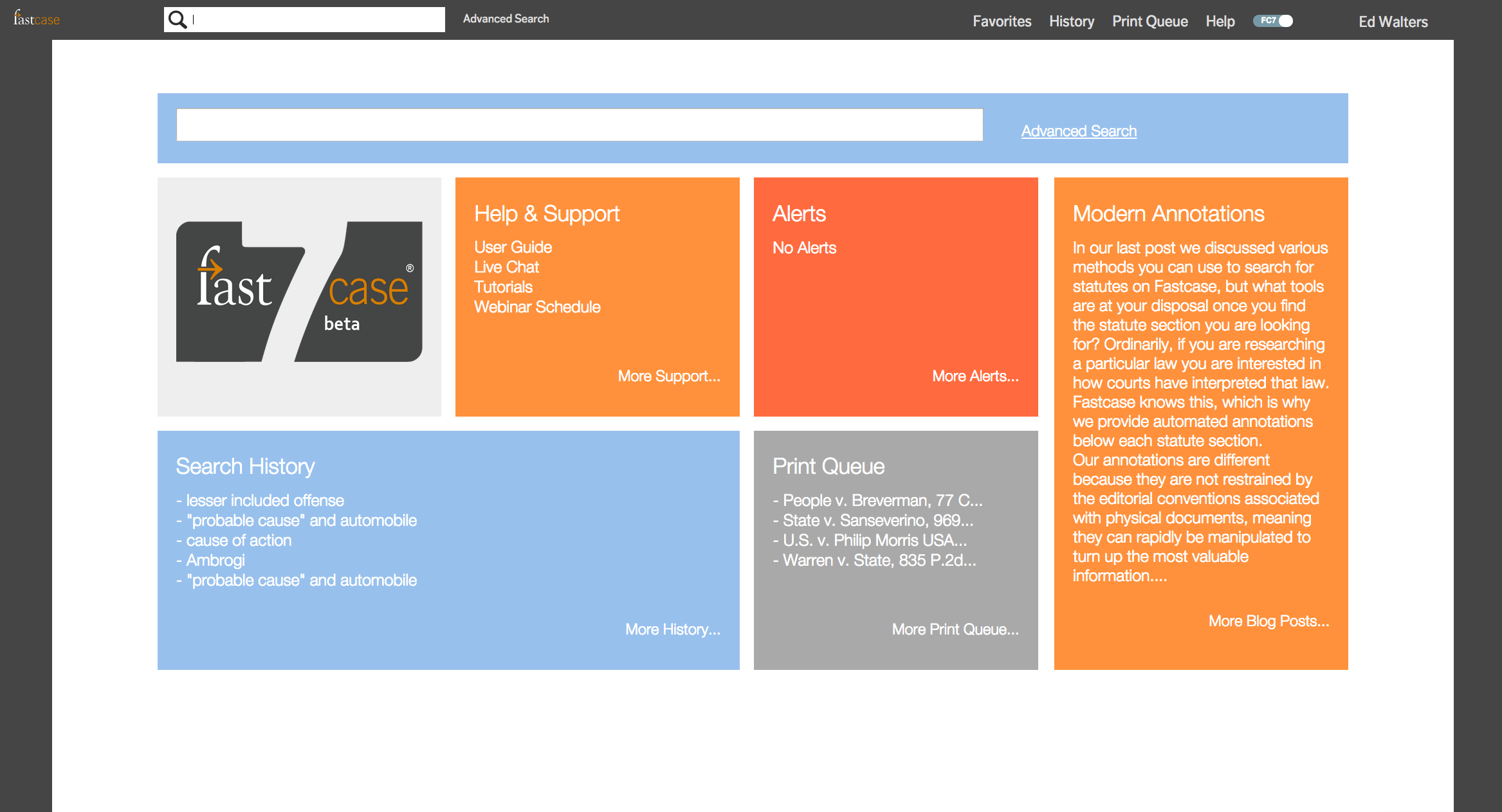
Fastcase Unveils 'Largest Free Law Library'
There's something happening here. Just two days after Public.Research.Org published 1.8 million pages of copyright-free federal case law online (see my post), the company that provided it with those cases, Fastcase, unveiled an even larger free library of cases, statutes, regulations, court rules and legal forms. Called The Public Library of Law, it claims in an announcement to be "the most comprehensive free resource for legal research online." This is all part of the company's commitment "to democratize the law," says CEO Ed Walters:"American law used to be controlled by foreign-owned publishers. Over the past eight years, Fastcase has smashed through those bottlenecks with our premium service for lawyers. Now, by launching the Fastcase Public Library of Law as a free service, we are also empowering non-lawyers to learn about and use the law themselves."PLOL includes all the federal cases Fastcase provided to Public.Research.Org, plus appellate cases from all 50 states from 1997 forward. In addition, it has statutes from all states, court rules from all states, regulations from selected states, the U.S. Code, the Code of Federal Regulations and federal court rules.
What's the catch? None. Users do have to register and agree to the terms of service, but registration is free and the TOS is standard fare. PLOL lacks the bells, whistles and red flags of Fastcase and other commercial research services. But for simple, bare-bones research, you can't beat the price.
Labels: caselaw
posted by Robert Ambrogi @ 4:36 PM,
, links to this post
Monday, February 11, 2008
D-Day: 1.8M Pages of Case Law Released
The day we previewed here last week has arrived: The non-profit organization Public.Resource.Org today released 1.8 million pages of federal case law free of copyright or other restrictions, in a joint venture with Creative Commons. The release includes all Supreme Court cases and all Courts of Appeals decisions from 1950 on. According to the press announcement, the data is available for download by developers for use on the Internet."The cases made available to developers today will be used throughout the Internet. For example, the AltLaw service from Columbia and Colorado Law Schools has announced they will incorporate the information in their free service. Creative Commons and Public.Resource.Org are donating a copy of the data to the U.S. Courts and the Government Printing Office for their archives. A number of commercial legal research providers have announced they will also incorporate this data in their services."The announcement said that the purchase of the data was made possible by contributions from a group that includes the Omidyar Network, the Elbaz Family Foundation, entrepreneur and civil libertarian John Gilmore and lawyer David Boies.
Although the cases can be browsed through the Public.Resource.org site, there is no direct mechanism for searching them. As Google begins to index them over the next few days, you should be able to search using its "search this site" function.
Links:
Labels: caselaw, public domain
posted by Robert Ambrogi @ 2:41 PM,
, links to this post
Thursday, February 07, 2008
Federal Cases to Go Public Next Week
I reported here in November that 1.8 million pages of federal case law would go public early in 2008 through an agreement between Carl Malamud's nonprofit organization Public.Resource.Org and the legal research company Fastcase. Today, Malamud said the release of those cases is scheduled for next week. The release will include all cases included with the U.S. Reports, all federal appellate cases in the F.3d series of the Federal Reporter and most of F.2d. All cases will be formatted in XML with digital signatures and public domain labels. Malamud also said that two other companies have made substantial donations of case law to be added to the public domain database, Justia and William S. Hein & Co.Labels: caselaw, public domain
posted by Robert Ambrogi @ 9:03 PM,
, links to this post
Search Company Acquires Casemaker
My Web Watch column this month, Search on Steroids, profiles Collexis, a powerful new search tool making its way into the legal market. The review notes, "The company also is preparing to launch other legal products based on the same search platform, including databases of federal and state case law and U.S. patents. Both are due out in the first half of 2008."Well, no sooner did that column go to press than Collexis on Monday announced its acquistion of legal publishing company Lawriter LLC, operator of the legal research service Casemaker, which contracts with 28 state bar associations to provide the research service to their members. Then today, Collexis announced its acquisition of an additional legal library consisting of 3.5 million documents to add to Casemaker's existing library of cases, statutes and other materials. Allan Crawford, Collexis's senior account executive for the legal market, told me that the company will continue to offer Casemaker while also adding a premium service with enhanced features.
As my column explains, I was impressed with the company's search technology. I look forward to seeing what it has in store for Casemaker.
posted by Robert Ambrogi @ 3:33 PM,
, links to this post
Wednesday, January 30, 2008
Sophisticated Search for Public Domain Law
I wrote here in November about plans by Public.Resource.Org to publish 1.8 million pages of public-domain federal case law sometime this year and its goal of eventually creating a public-domain repository of all federal and state case law. More recently, in an article of mine published on Law.com, I singled out Public.Resource.Org and a similar project, AltLaw, as among the five most notable legal sites of 2007.Now, a parallel project aims to bring to this growing body of public-domain law a sophisticated search engine comparable to those of commercial legal databases. In fact, the developers of this experimental legal search engine, called PreCYdent, say their tests outperform "by a wide margin" Westlaw natural language search, not to mention Lexis and other commercial databases.
The site is up and running in an alpha version containing about 340,000 cases, with a beta launch planned for the end of February. It came about through the work of University of San Diego School of Law Professor Thomas A. Smith, who serves as its CEO. Smith and the other members of the PreCYdent team say they base their work on two fundamental beliefs: that judicial opinions and statutes must be in the public domain, and that everyone -- lawyers, students and the public -- should have access to state-of-the-art legal research technology. "The site is free and will stay that way," Smith wrote me in an e-mail. The service will rely on ads to generate revenue.
The power of PreCYdent's search engine comes from its ranking of results by "authority," using a propriety algorithm to analyze connections within networks of data similar in concept to Google and its PageRank technology. Here is how the Web site explains it:
"PreCYdent search technology ranks results by 'authority', using mathematical techniques, such as eigenvector centrality, similar to those used by advanced Web search engines, as well as proprietary techniques we have developed that are specialized to the legal domain. PreCYdent search technology is able to mine the information latent in the 'Web of Law', the network of citations among legal authorities. This means it is also able to retrieve legally relevant authorities, even if the search terms do not actually occur or occur frequently in the retrieved document."Smith describes the development and mechanics of PreCYdent in greater detail in an interview with Joe Hodnicki published yesterday at Law Librarian Blog. Smith's initial research that formed the genesis of the project is described in his 2005 article, The Web of Law.
PreCYdent's developers are incorporating a number of Web 2.0 features. The site already allows users to add commentary, recommendations and ratings to cases. Smith writes:
"Coming soon is a social network platform that will interface seamlessly (or pretty seamlessly) with the law library and search. This will enable people to find lawyers and lawyers and laypeople to share knowledge and experience. An upload feature will allow users to upload all kinds of documents, such as briefs, memos, videos, audio, and so on. All of this will be parsed by us, put into our network, and be searchable and ranked by our engine."I performed various top-of-the-mind searches today -- nothing too sophisticated -- and was impressed by the relevance and ranking of results. The default ranking is by authority, so if there are relevant Supreme Court cases, they tend to appear at the top. Advanced search options allow you to modify the ranking to be chronological or "traditional" and to limit your search by date, court and judge. Cases include citations and page numbers. Once Public.Resource.Org publishes the cases mentioned at the outset of this post, PreCYdent will add them to its database.
Labels: caselaw, public domain, search
posted by Robert Ambrogi @ 3:37 PM,
, links to this post
Thursday, December 27, 2007
Free Access to Older Mass. Cases
Via the Massachusetts Law Updates blog, the Massachusetts Trial Court Libraries announced today the completion of a project to provide free online access to all Supreme Judicial Court and Mass. Appeals Court cases from 1986 to 1996. (Cases starting in 1997 are already available through Massachusetts Lawyers Weekly.) The cases are available through the Web site MassCases.com, where they can be found by citation, name or word search. The collection also includes hundreds of frequently cited older Mass. cases.Labels: caselaw
posted by Robert Ambrogi @ 8:18 PM,
, links to this post
Wednesday, November 14, 2007
1.8M Pages of Federal Case Law to Go Public
Carl Malamud's nonprofit organization Public.Resource.Org and the legal research company Fastcase today announced an agreement that will allow Public.Resource.Org to publish 1.8 million pages of federal case law in the public domain. The archive, which will become available sometime in 2008, will include all U.S. courts of appeals decisions since 1950 and all Supreme Court decisions since 1754. I wrote in August about Malamud's charge to crash the Wexis gate with his plan to create a public-domain repository of all case law, federal and state, and I first wrote about him a decade ago in recognition of his work to bring the SEC's EDGAR database to the public. In today's statement, he said:"The U.S. judiciary has allowed their entire work product to be locked up behind a cash register. Law is the operating system of our society and today's agreement means anybody can read the source for a substantial amount of case law that was previously unavailable."
Notably, this public-domain database will come about with the cooperation of a for-profit legal research company. Fastcase has agreed to sell this case law in a one-time transaction that will allow Public.Resource.Org to use it. The cases will be marked with a new Creative Commons mark -- CC-Ø -- that signals that there are no copyrights or other related rights attached to the content.
Once it receives the cases, Public.Resource.Org will format them using open source "star" mapping software, which will allow the insertion of markers that will approximate page breaks based on user-furnished parameters such as page size, margins, and fonts. "Wiki" technology will be used to allow the public to move around these markers, as well as add summaries, classifications, keywords, alternate numbering systems for citation purposes, and ratings or "diggs" on opinions.
Going forward, new cases will be added to the database through organizations that already make cases publicly available, such as AltLaw and the Legal Information Institute.
Today's announcement said that further news "will be forthcoming on the availability of other case law, including Federal District and pre-1949 Appellate decisions."
posted by Robert Ambrogi @ 1:03 PM,
, links to this post
Monday, January 15, 2007
New blog digests all Maryland cases
A new blog, Maryland Courts Watcher, provides synopses of every publicly available opinion published on the Internet by any court in Maryland. This includes the Court of Appeals, the Court of Special Appeals, the U.S. District Court, the U.S. Bankruptcy Court, the Maryland Tax Court, the Circuit Court for Baltimore City and opinions of the Maryland Business and Technology Case Management Program. Synopses are written by lawyers and law students and each includes a link to the full opinion. Maryland lawyer Stuart Levine, an editor of the new blog, sends a note asking why there is not a similar blog for every state. He writes:
"There are no out of pocket costs involved and, despite the coverage and appearance, the project is not so labor intensive for any one individual that it is difficult to operate. If anyone is interested in starting a similar project in their state, I will freely (and for free) share my experiences."
Labels: caselaw
posted by Robert Ambrogi @ 12:54 PM,
, links to this post
Wednesday, January 10, 2007
New Portal Tames Patent Caselaw
Some patent lawyers might consider the Federal Circuit Court of Appeals to be a circus, but a new Web site aims to tame the lion of patent caselaw. Called FedCirc.us, the site is the latest and most ambitious project of the folks behind rethink(ip), patent attorneys and bloggers J. Matthew Buchanan, Stephen M. Nipper and Douglas Sorocco. The new site describes itself as a portal of patent caselaw built on a foundation of timely, accurate and considerate reviews of appellate decisions. Its central offering are reviews of all appellate patent decisions. These are summaries that digest and provide perspective on each case. Each review includes a case data box with a link to the full decision, citation and other information. Cases whose precedential value may be in question include "red flags" explaining the concern. Reviews can be searched or browsed by court, date or name. Key words are organized in a tag cloud. A feature called Gimme Ten! provides the most recent 10 reviews in a single page. Users can subscribe to receive FedCirc.us updates by RSS or e-mail.The site is clear that its goal of timely case reporting does not mean immediate case reporting. In general, it says, case reviews will be published "a couple weeks" behind a decision's release. If the site has a weakness, this is it. But assuming the collection of reviews continues to grow and be comprehensive, the site should prove to be an essential resource for patent practitioners.
Meanwhile, watch for more to come as this trio of patent lawyers continues to develop the site. Coming soon, they say: a patent law podcast.
posted by Robert Ambrogi @ 10:19 PM,
, links to this post